Top Picks: home-office kit we recommend
Last updated: 19 November 2026 (Europe/London).
How we choose. These picks are based on published specs and listings and on our own guides, not hands-on tests.
A shortlist of kit for a web design and home-office setup. Prices are the live Amazon price.
We earn a commission from links on this page. How we make money. As an Amazon Associate we earn from qualifying purchases.
Product prices and availability are accurate as of the date/time indicated and are subject to change. Any price and availability information displayed on Amazon.co.uk at the time of purchase will apply to the purchase of this product.
On this page: Desk setup · Cameras and microphones · Keyboard and mouse · Connect and store · Screens and design · Bags.
Desk setup
Stands, a lamp and a cable tray that make a small desk easier to work at.

Why it’s on the list: A foldable aluminium stand that lifts a laptop to a more comfortable height.

Why it’s on the list: A simple riser that frees desk space under the screen.

Why it’s on the list: A dimmable lamp aimed at home-office desks and video calls.
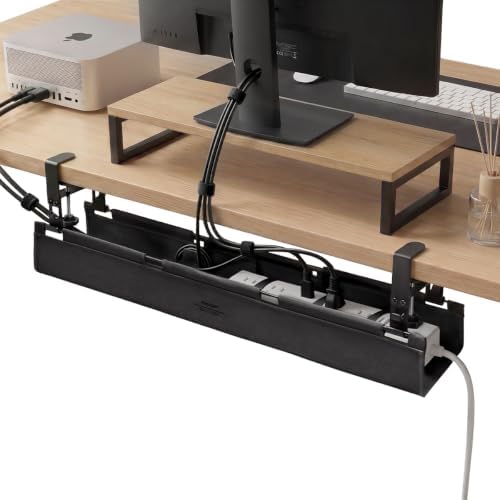
Why it’s on the list: A clamp-on tray to get power and USB leads off the desktop.
Cameras and microphones
Kit for client calls, short tutorials and a clearer sounding voice on a laptop.

Why it’s on the list: A widely used 1080p webcam with a reliable plug-and-play setup.

Why it’s on the list: A well-known USB microphone if you want better sound than a laptop mic.
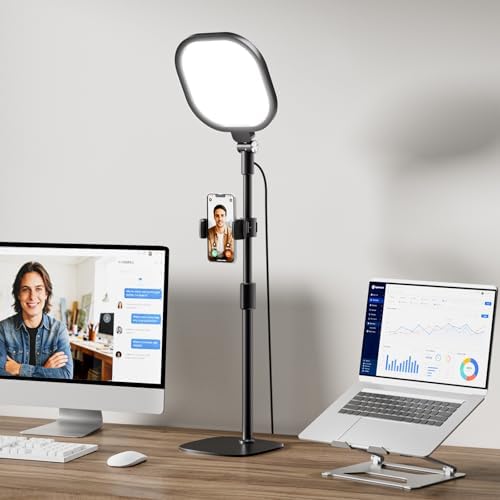
Why it’s on the list: A desk-mounted light for darker rooms during video calls.

Why it’s on the list: A USB condenser mic from a known audio brand, if you want a step up from a headset.
Keyboard and mouse
Wireless keyboards and mice, including a couple of more comfortable shapes for long typist days.

Why it’s on the list: A full-size wireless keyboard that can switch between a computer and a tablet or phone.

Why it’s on the list: A trackball that stays in one place, useful on a small desk.

Why it’s on the list: A vertical mouse that some people find easier on the wrist. Check left- and right-handed versions before buying.
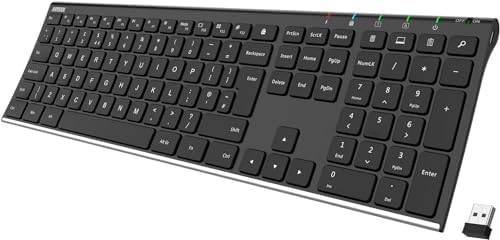
Why it’s on the list: A slim full-size keyboard with a number pad, if desk space is tight.
Connect and store
USB-C hubs for a laptop with few ports, and a couple of portable SSDs for backups and moving large design files.
USB-C hubs

Why it’s on the list: A compact hub with 4K HDMI, for a laptop that needs more ports.

Why it’s on the list: A simpler hub if you only need HDMI and a couple of USB ports.
If you are choosing between similar USB-C hubs, this comparison table shows the two above and a third 5-in-1 Anker hub, with the live Amazon price, Prime status and a buy button.
USB-C hub specs side by side
| Anker 7-in-1 (A83D2) | Anker 5-in-1 (A8357) | UGREEN 5-in-1 (CM478) | |
|---|---|---|---|
| Ports | HDMI, 2 × USB-A 5Gbps, 1 × USB-C data 5Gbps, SD and microSD slots, USB-C charging input | HDMI, 1 × USB-A 5Gbps, 2 × USB-A 480Mbps, USB-C charging input | HDMI, 1 × USB-A 5Gbps, 2 × USB-A 2.0, USB-C charging input |
| Laptop charging (pass-through) | Up to 85W | Up to 90W | Up to 95W (100W input) |
| Display output | One HDMI screen, up to 4K at 60Hz | One HDMI screen, up to 4K at 30Hz | One HDMI screen, up to 4K at 30Hz |
| Size and weight | 131 × 37 × 12 mm, 66.5 g | 120 × 30 × 11.6 mm, 57.6 g | 121 × 27 × 12 mm, 58 g |
| Warranty | 18 months | 18 months | 24 months |
| Best for | Smooth 4K at 60Hz, plus card slots for photos | Basics on a budget: one screen, keyboard, mouse and a USB stick | Basics in an aluminium case with the longest warranty |
Portable storage

Why it’s on the list: A fast portable drive for large images and site backups.
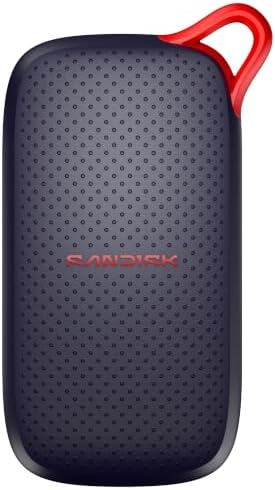
Why it’s on the list: A smaller, widely available 1TB option if you do not need the fastest drive.
Screens and design
A 24-inch monitor for a second screen, and a drawing tablet if you sketch layouts by hand.

Why it’s on the list: A 24-inch Full HD screen with USB-C, a common size for a small desk.

Why it’s on the list: A 24-inch IPS monitor with USB-C power, if you want a single cable to a laptop.

Why it’s on the list: A mid-size graphics tablet that connects to a computer, without a built-in screen.
Bags
Simple sleeves and bags for a 15-inch laptop when you work away from the desk.
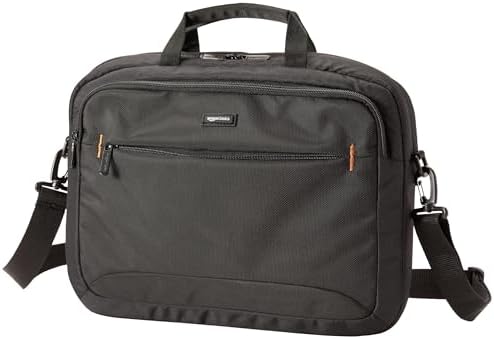
Why it’s on the list: A plain, inexpensive shoulder bag for a 15-inch laptop.

Why it’s on the list: A slim sleeve if you only need padded protection inside another bag.
Photo credits: product images are served by Amazon through the Hostinger Affiliate Marketing Tools plugin. No other photographs were added to this page.